Compress an image to 100 KB
Runs on your device · Your file never leaves your device.
This page starts with the target already set to 100 KB. Some application forms set a limit around this size — check the number on the form you are filling in. Drop a photo and download one that fits.
It does not simply crush the file to the smallest possible size. It searches for the highest quality that still stays under 100 KB, so a 2 MB photo comes back close to 100 KB rather than as a blurry 6 KB thumbnail.
Works with JPG, PNG, WebP and iPhone HEIC photos, one at a time or in a batch, entirely on your device — the photo is never uploaded.
Worked example: a measured run of this tool
We ran a 12-megapixel JPEG photograph (1.89 MB) through this page in a browser, the way a visitor would, and checked what came out. The figures below were measured on the result, not estimated.
- Settings
- The page’s preset: 100 KB, JPEG output. The tool chose the quality and the pixel size by itself.
- File size
- 1.89 MB → 96.1 KB (≤ 100.0 KB)
- Pixel size
- 4032 × 2688 → 1512 × 1008
- Similarity to the original (SSIM; 1 means identical)
- 0.929
- Time taken in the test browser, button to result
- 12.0 s
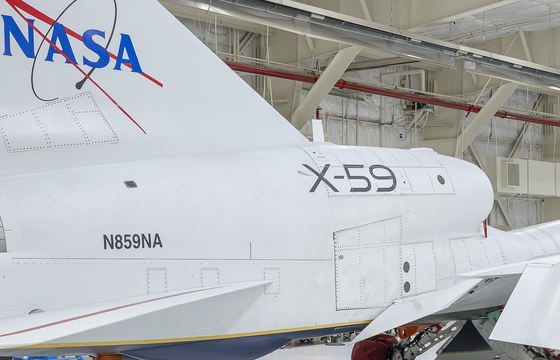
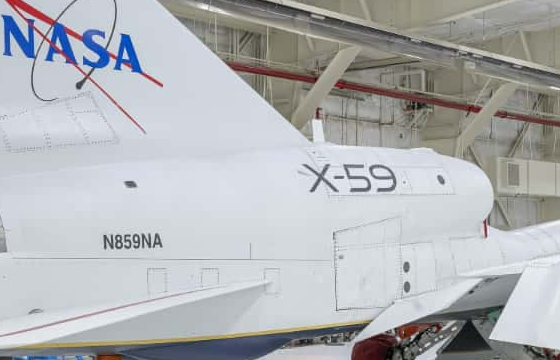
What this example does not show: A 12-megapixel photo cannot keep all its pixels at 100 KB, so the tool made it smaller (see Pixel size). That is enough for an upload form, not for a large print. Similarity is measured at the result’s own size; 1 would mean no difference at all.
Measured on 2026-09-25 with the site’s own code (build 8672737). Files: x59-hangar-12mp.jpg result
Photo: NASA/Christopher LC Clark (AFRC2025-0173-02), public domain. NASA does not endorse this site.


How to compress an image to 100 KB
- Add one photo or a batch of them.
- Leave the target at 100 KB, or type a different limit your form asks for.
- Press Convert; the tool finds the highest quality that stays under the limit.
- Compare the before and after, then download the result.
Supported formats and limits
- Input
- JPG, PNG, WebP, HEIC
- Output
- JPG under your target size
- Target sizes
- 50, 100, 200 KB or any value
- Batch
- Yes — convert many at once
- Where it runs
- In your browser; the photo is never uploaded
Not for: Adding detail — compression can only remove data, never restore what a low-quality original never had.
Frequently asked questions
- Are my files uploaded to a server?
- No. This conversion runs inside your browser using your own device’s processing power, and the file is not uploaded. Once a tool has been used once (video, text recognition and background removal download their engine from this site the first time), it keeps working when your connection drops.
- Why does my file come out at 94 KB and not exactly 100 KB?
- The limit is a ceiling, not a goal. The tool returns the highest-quality version that stays under your number, which normally lands just below it.
- The photo still will not reach 100 KB — what can I do?
- Reduce the pixel dimensions as well. A large photo scaled down is far clearer at 100 KB than the same photo kept full-size and heavily compressed.
Other sizes and destinations
Related tools
This page in other languages: العربية · Türkçe · עברית · فارسی