Compress an image to 200 KB
Runs on your device · Your file never leaves your device.
Preset to a 200 KB ceiling, which leaves room for a clearer photo than the tighter 50 or 100 KB limits. Drop an image and download one that fits.
The tool searches for the best quality under 200 KB rather than making the file as small as it can, so you keep as much detail as the limit permits.
JPG, PNG, WebP and HEIC are all accepted, and the work happens on your device with nothing uploaded.
Worked example: a measured run of this tool
We ran a 12-megapixel JPEG photograph (1.89 MB) through this page in a browser, the way a visitor would, and checked what came out. The figures below were measured on the result, not estimated.
- Settings
- The page’s preset: 200 KB, JPEG output. The tool chose the quality and the pixel size by itself.
- File size
- 1.89 MB → 186.4 KB (≤ 200.0 KB)
- Pixel size
- 4032 × 2688 → 2167 × 1445
- Similarity to the original (SSIM; 1 means identical)
- 0.935
- Time taken in the test browser, button to result
- 12.8 s
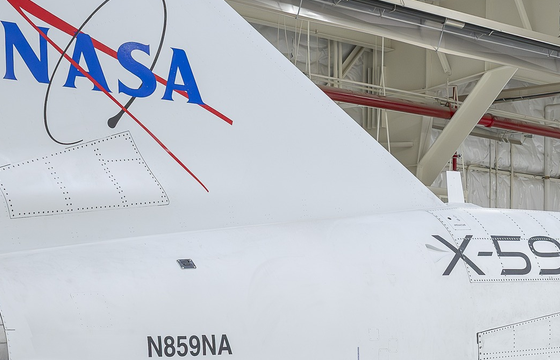
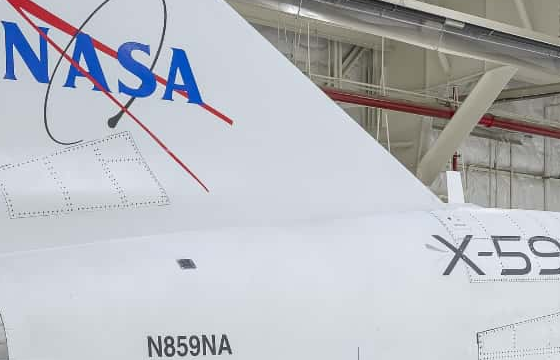
What this example does not show: The smaller the limit, the fewer pixels the photo keeps (see Pixel size): judge whether that is enough for your form, not for a print. Similarity is measured at the result’s own size; 1 would mean no difference at all. A photo with more fine detail than this one needs a smaller pixel size to fit the same limit.
Measured on 2026-09-25 with the site’s own code (build 8672737). Files: x59-hangar-12mp.jpg result
Photo: NASA/Christopher LC Clark (AFRC2025-0173-02), public domain. NASA does not endorse this site.


How to compress an image to 200 KB
- Add your photo or batch.
- The 200 KB target is preset; change it only if your form allows something else.
- Press Convert — at this size most photos keep their original dimensions.
- Check the preview and download.
Supported formats and limits
- Input
- JPG, PNG, WebP, HEIC
- Output
- JPG under 200 KB
- Dimensions
- Usually preserved — 200 KB is a comfortable budget
- Batch
- Yes
- Where it runs
- In your browser; nothing uploaded
Not for: Print work — 200 KB is sized for screens and upload forms, not for high-resolution printing.
Frequently asked questions
- Are my files uploaded to a server?
- No. This conversion runs inside your browser using your own device’s processing power, and the file is not uploaded. Once a tool has been used once (video, text recognition and background removal download their engine from this site the first time), it keeps working when your connection drops.
- Can I keep the original dimensions at 200 KB?
- Usually yes for a normal photo — 200 KB is often enough to hold full dimensions at good quality. Very large or highly detailed images may still need a small reduction.
- Does converting to WebP help?
- Often, yes. WebP typically holds more quality than JPG at the same size, so it can keep a photo sharper within the 200 KB budget.
Other sizes and destinations
Related tools
This page in other languages: العربية · Bahasa Indonesia · বাংলা